















A quality gaming keyboard and mouse combo is more than a pair of accessories—it is a direct connection to your in-game performance. These tools turn split-second decisions into successful plays, translating every movement and tap into precise, immediate action. Investing in the right set can lead to faster reaction times, sharper accuracy, and greater comfort during long gaming sessions.
Why Your Peripherals Define Your Gameplay
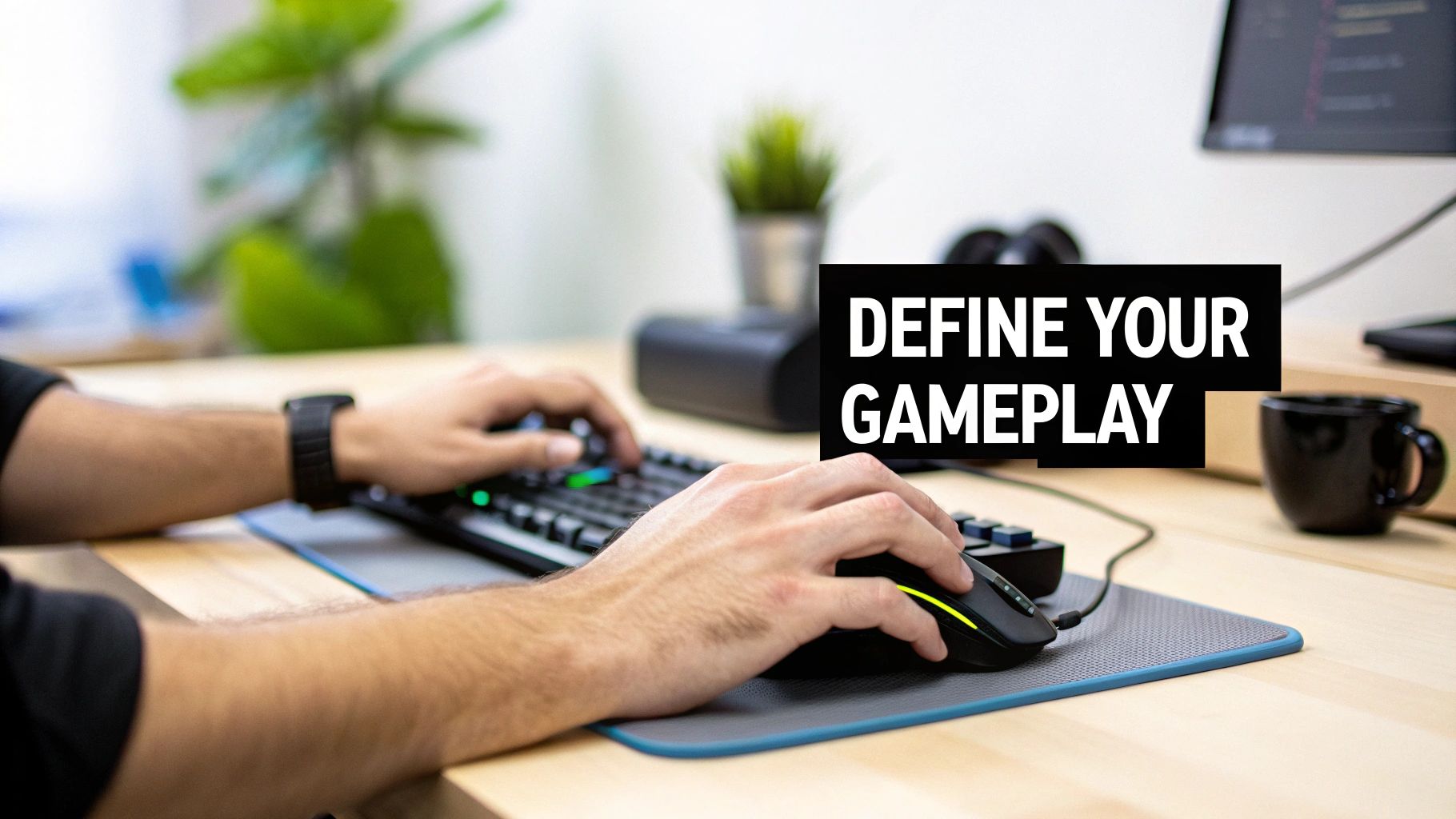
Think of your keyboard and mouse as the engine and steering wheel of a race car. A standard office setup will function, but a purpose-built gaming combo is engineered for speed, control, and endurance. It replaces mushy, unreliable inputs with crisp, tactile feedback that can be the difference between winning a firefight and viewing a respawn screen.
This performance boost comes from technology designed specifically for gaming. We will cover the specific details later, but the main point is that every feature is intended to help you play better.
Core Components of a Gaming Combo
The tangible advantage of a gaming setup comes down to the hardware. Unlike the equipment found in an office, every piece is optimized for responsiveness and built to last. The key upgrades are:
- Mechanical Switches: These provide faster, more reliable keystrokes than the membrane technology in most standard keyboards. Every press feels deliberate and registers instantly.
- High-Precision Mouse Sensors: Gaming mice use advanced optical sensors for superior tracking. This means no more frustrating cursor skips or jitters when lining up a shot.
- Customization Software: This allows you to remap buttons, create macros for complex command sequences, and adjust sensitivity. It lets you tune your hardware to your exact playstyle.
This focus on performance-driven gear has created a large market. The global gaming mouse and keyboard market was valued at an estimated USD 1.69 billion, with North America leading due to the growth in PC gaming and esports. This shows how much players value combos that deliver both a competitive edge and a distinct style. You can read more about this growth over at Archive Market Research.
The right peripherals do not just make you a better player; they make gaming more comfortable and immersive. By reducing physical strain and ensuring your inputs are always accurate, a quality combo lets you forget the hardware and focus entirely on the game.
Ultimately, whether you are a casual player or a competitive one, your choice of peripherals lays the foundation for your entire gaming experience. From powerful PC rigs to console setups—and even VR experiences like the new Meta Quest 3's Xbox Edition—the right tools are essential. This guide will walk you through everything you need to know to pick the perfect gaming keyboard and mouse combo.
How to Choose the Right Mechanical Keyboard
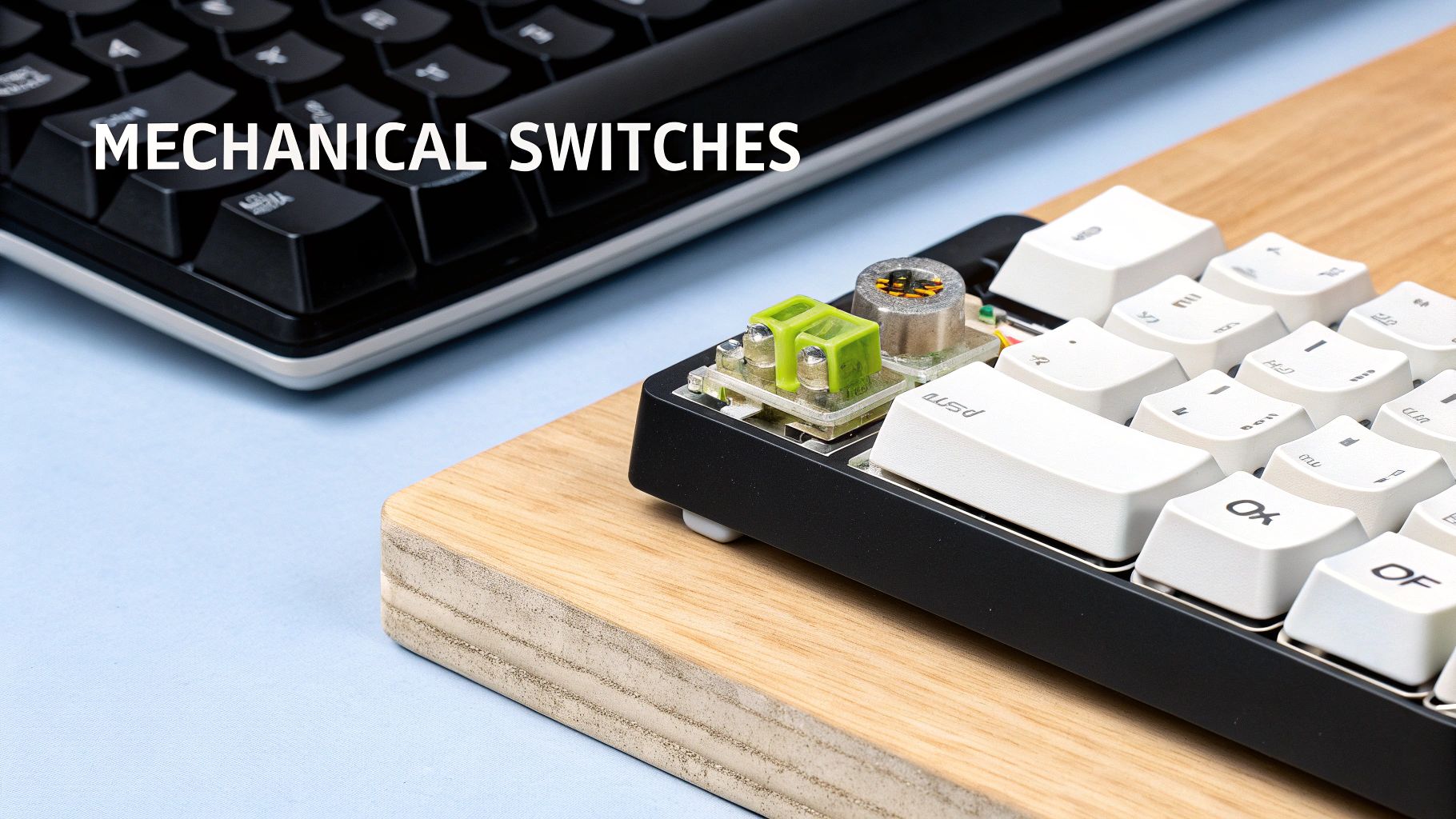
The defining feature of a gaming keyboard is not what you see on the surface; it is what lies beneath the keycaps. While many keyboards look similar, the technology powering each press makes all the difference. This is where mechanical switches are important, surpassing the standard membrane keyboards common in offices.
Unlike the single rubber sheet in a membrane board, a mechanical keyboard gives every key its own dedicated switch. This design delivers precision, durability, and satisfying feedback that confirms every command. It is why they are the standard for any serious gamer.
Their popularity has grown alongside esports. The U.S. gaming keyboard market alone generated approximately USD 125.5 million in revenue, with mechanical models dominating sales. You can review more statistics on this trend over at Grand View Research.
Understanding Mechanical Switch Types
Mechanical switches come in three main varieties, and each one offers a different experience. It is similar to choosing the suspension on a race car—some drivers want a smooth ride, while others want to feel every detail of the road.
Here is a brief overview of the most common switch types to help you find your ideal match.
Mechanical Switch Types at a Glance
| Switch Type | Feeling | Sound Level | Best For |
|---|---|---|---|
| Linear | Smooth, consistent press from top to bottom. No bump. | Quiet | Fast-paced FPS games where rapid, repeated taps are key. |
| Tactile | A noticeable "bump" in the middle of the press. | Moderate | All-around gaming, from RTS to RPGs, and also suitable for typing. |
| Clicky | A tactile bump plus an audible "click" sound. | Loud | Gamers who prefer loud, unmistakable feedback and typists. |
Ultimately, there is no single "best" switch—just the one that feels right to you. Linear is for speed, Tactile gives confirmation without the noise, and Clicky delivers maximum sensory feedback.
Pro tip: If possible, test out a friend’s mechanical keyboard or find a display model in a store. Feeling the difference for yourself is the best way to decide.
Essential Features for Competitive Gaming
Beyond the switches, a few key features are critical if you are playing to win. These are the technologies that ensure your keyboard keeps up when the action becomes intense, preventing game-losing missed inputs.
The two most important features are anti-ghosting and N-key rollover (NKRO). Ghosting is the frustrating moment when you press several keys at once and some of them do not register. Anti-ghosting technology ensures every press is detected, no matter how complex your commands become.
NKRO takes this a step further. It means you can press as many keys as you want simultaneously, and the keyboard will register every single one. This is crucial in games where you might be trying to run, jump, reload, and communicate with your team all at once.
Build Quality and Keyboard Size
A good gaming keyboard is an investment, so you want it to last. Look for keyboards with solid frames made from materials like aluminum, which prevents flexing. Keycaps also matter. PBT (polybutylene terephthalate) keycaps are preferable, as they resist shine and wear down much slower than the more common ABS plastic.
Finally, consider the size, or "form factor." The best keyboard for your setup depends on your available desk space and how you play.
- Full-Size (100%): The classic layout with a number pad. Ideal if you also do a lot of data entry.
- Tenkeyless (TKL): The same as a full-size board, but without the number pad. This is a popular choice for most gamers, freeing up space for your mouse.
- Compact (60% or 65%): These minimalist boards remove the function row and navigation keys for the smallest possible footprint. They are perfect for maximizing mouse room on a small desk.
The right mechanical keyboard is a combination of switch feel, essential gaming features, and a size that fits your setup and style. Taking time to figure out what you need will result in a keyboard that feels like a true extension of your hands.
What to Look for in a High-Performance Gaming Mouse
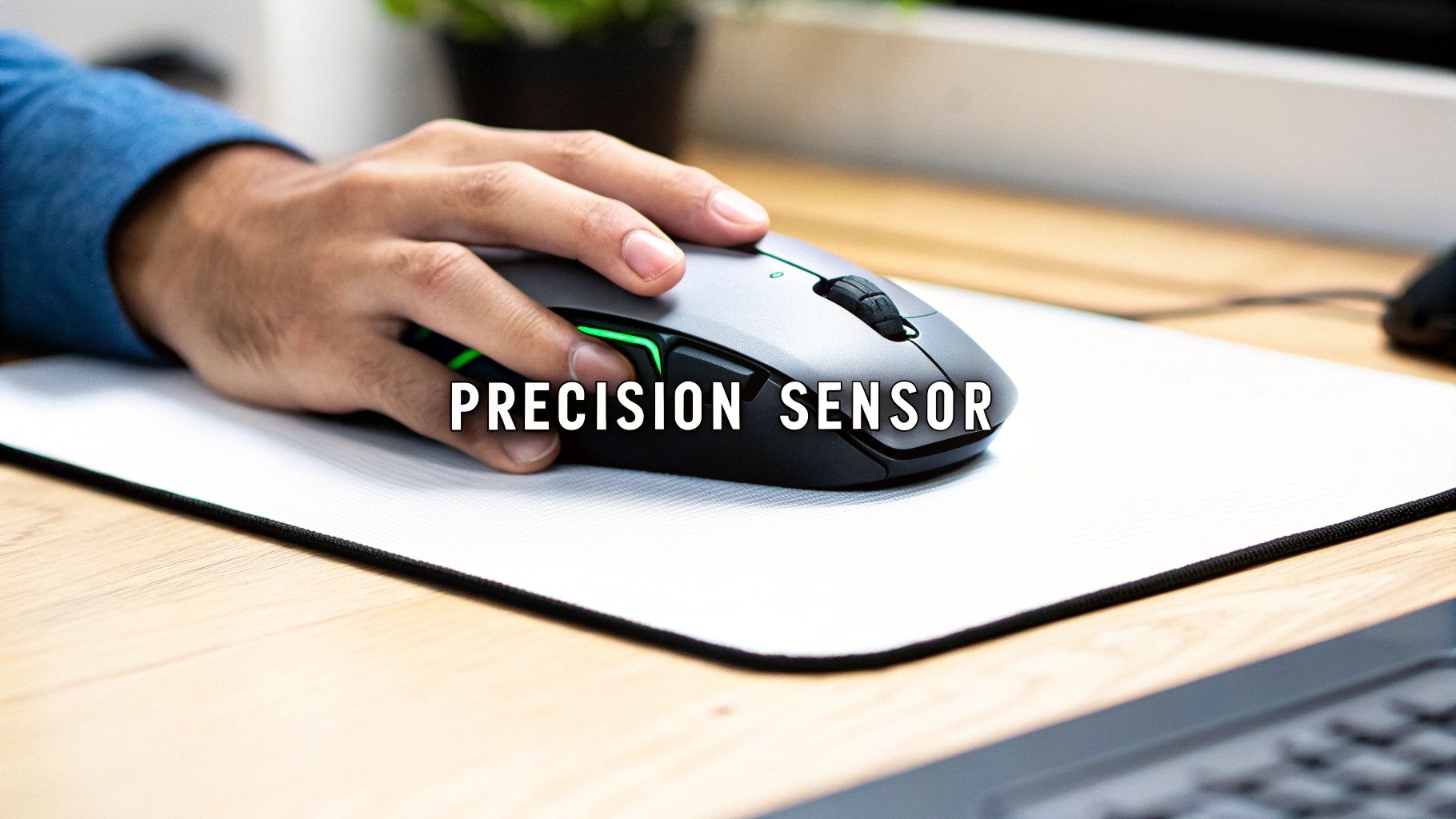
While your keyboard handles movement and abilities, your gaming mouse is your aiming tool. It turns your real-world reflexes into pixel-perfect accuracy on screen. The core of any gaming mouse is its sensor, and today, optical sensors are the industry standard.
Unlike older laser sensors that could be unreliable on different surfaces, modern optical sensors provide consistent tracking by taking thousands of microscopic images of your mousepad every second. This technology ensures your cursor goes exactly where you want it to, without the skips or jitters that can cost you a match.
Demystifying DPI and Polling Rate
When researching gaming mice, you will see two terms everywhere: DPI and polling rate. Understanding these is crucial because they control how the mouse feels to use.
DPI, or Dots Per Inch, is a measure of sensitivity. A mouse set to 800 DPI moves your cursor 800 pixels for every inch you physically move it. If you increase that to 3200 DPI, it will move 3200 pixels for the same one-inch movement.
Higher DPI allows you to move your view quickly with a small wrist motion, which is useful for fast-paced shooters. Lower DPI gives you more deliberate, precise control, which is better for lining up a sniper shot. Most gaming mice have a dedicated "DPI switch" so you can toggle between these settings.
It is a common misconception that more DPI is always better. In reality, most professional esports players use lower DPI settings—usually between 400 and 1600. This is because it helps build more consistent muscle memory and control.
If DPI is about how far your cursor moves, polling rate is about how smoothly it moves. Measured in Hertz (Hz), it is the number of times per second your mouse reports its position to your PC. A typical office mouse reports at around 125 Hz.
A proper gaming mouse should have a polling rate of 1000 Hz or higher. This means it updates its position 1000 times per second, making your cursor’s movement feel incredibly smooth and responsive. This higher frequency reduces input lag, making the connection between your hand and the screen feel nearly instant.
Finding the Perfect Fit for Your Grip Style
Technical specifications are only half the story. The physical shape of a mouse is just as critical for comfort and control. The way you hold your mouse is called your grip style, and finding a mouse that matches it is important.
There are three main grip styles among gamers:
- Palm Grip: Your entire palm rests on the mouse. It is the most common and relaxed grip, suitable for larger, more ergonomic mice.
- Claw Grip: Your palm touches the back of the mouse, but your fingers are arched. This grip allows for quick clicks and suits mice with a higher back.
- Fingertip Grip: Only your fingertips touch the mouse, while your palm hovers completely. This offers maximum agility and works best with small, lightweight mice.
Why Mouse Weight and Shape Matter
The shape and weight of your mouse are closely related to your grip style. A palm gripper will likely feel more comfortable with a heavier, contoured mouse that supports their entire hand during long gaming sessions.
Conversely, a fingertip gripper playing a fast-paced shooter will likely want an ultralight mouse. Mice under 80 grams are very popular because they are easy to move quickly across the mousepad. Shape is also important—an ambidextrous mouse is suitable for anyone, while an ergonomic, right-handed design offers sculpted curves built for comfort. A great gaming keyboard and mouse combo is one where both pieces feel tailored to you.
Connecting and Customizing Your Setup
A great keyboard and mouse combo is more than a set of tools; it is about how they synchronize to create a setup that feels personalized. This is where you can turn two separate devices into a responsive system through connectivity, comfort, and software.
The first major decision is the connection type. For years, a wired connection was the standard for serious gamers. It provides a direct line to your computer that is stable, free from interference, and has virtually no input lag.
However, wireless technology has advanced significantly. High-end combos now use a dedicated 2.4GHz wireless dongle that delivers a low-latency connection so effective that most players would not notice a difference from a wired one. It offers a clean, cable-free desk without sacrificing performance.
Dialing in Your Comfort and Control
Ergonomics are critical if you plan on spending hours in-game. Discomfort is a performance killer, leading to fatigue, reduced accuracy, and shorter gaming sessions.
Many keyboards come with detachable wrist rests for this reason. They keep your wrists in a neutral position, reducing strain during long raids or competitive matches. Mice can be even more personalized. Some models feature adjustable weights, letting you fine-tune the feel. You can make it light for fast-paced shooters or give it a more grounded feel for strategy games.
The goal is to make your gear feel like a natural extension of your hands.
A comfortable setup is an effective setup. When you are not fighting physical strain, you can stay focused longer and play at your best, whether you are playing an RPG or competing in a multi-hour tournament.
Unleashing Your Potential with Software
Companion software is the command center for your keyboard and mouse, letting you adjust, customize, and automate settings to match how you play.
One of the most useful features is programming macros. A macro is a sequence of key presses and mouse clicks that you can record and assign to a single button.
Consider a strategy game where you need to:
- Select a group of units.
- Trigger a complex ability.
- Return your view to the main base.
With a macro, this three-step process becomes a single command. It is a significant advantage in games where every second counts, from fast-paced shooters like those discussed in our article on underrated VR shooters like Zero Caliber 2 to complex MMOs.
Beyond that, you can remap buttons to put crucial commands directly under your fingertips. You can also create different profiles for each game, so your keybinds and sensitivity settings automatically switch when you launch a new title.
Finally, there is RGB lighting. While it adds a stylistic element, it can also be functional. Some games use lighting for in-game cues, like flashing red when your health is low or changing color when a cooldown is ready. Syncing the effects across your keyboard and mouse can create a more immersive experience.
Finding the Best Combo for Your Budget
https://www.youtube.com/embed/UHm5wTQBFlI
When you are ready for a new gaming keyboard and mouse combo, the main question is how much you should spend. You can find bundles for under $50, but you can also spend several hundred on a top-tier setup. That price difference reflects real-world differences in build quality, performance, and features.
A budget-friendly combo is a significant upgrade from standard office equipment. However, when you start looking at mid-range and premium options, you are paying for tangible improvements. These include durable mechanical switches built to last for millions of clicks, ultralight mice with pixel-perfect sensors, and powerful software that lets you customize every detail.
Budget Versus Premium Combos
The biggest difference between price points is the quality of the internal components. An entry-level combo will get you in the game, but a premium set is engineered from the ground up for competition and longevity. The higher price gets you better materials, such as sturdy aluminum frames and PBT keycaps that resist shine and wear.
For example, a premium mouse often comes with a high-end optical sensor that delivers flawless 1:1 tracking. This means your cursor moves exactly how your hand moves, giving you an edge where hardware limitations are not a concern.
Think of it this way: a budget combo is like a reliable daily driver car, whereas a premium combo is a high-performance vehicle tuned for the racetrack. Both will get you where you need to go, but one is specifically built for speed, precision, and endurance under pressure.
Which one is right for you depends on your gaming habits. If you are a casual player, a solid budget combo is likely all you need. But for competitive gamers, investing in a premium gaming keyboard and mouse combo can provide a noticeable advantage. If you're building a new rig and want to see what a high-end setup looks like, check out our deep dive into builds like the legendary Alienware 18 Area-51 gaming powerhouse.
To make it clearer, let's break down what you can expect at different price points.
Budget vs. Premium Combo Feature Comparison
| Feature | Budget Combo (Under $100) | Mid-Range Combo ($100 – $200) | Premium Combo ($200+) |
|---|---|---|---|
| Keyboard Switches | Membrane or basic mechanical | Quality mechanical (Cherry, Gateron) | High-end mechanical or optical switches |
| Mouse Sensor | Standard optical, decent DPI | High-performance optical sensor | Top-tier flagship optical sensor |
| Build Quality | Mostly plastic construction | Reinforced plastic, some metal accents | Premium materials (aluminum, PBT) |
| Connectivity | Typically wired only | Wired, with some wireless options | Advanced low-latency wireless or wired |
| Customization | Basic lighting, limited software | Full RGB, robust software for macros | Extensive software, onboard memory |
| Ergonomics | Standard, one-size-fits-all | More ergonomic shapes, some rests | Highly ergonomic, adjustable components |
This table should give you a good idea of where your money goes. As you move up in price, you are buying better performance, durability, and a more tailored experience.
PC and Console Compatibility
Another thing to keep in mind is where you will be gaming. Every combo will work with a PC out of the box, but console compatibility can be more complex. Both PlayStation and Xbox support keyboard and mouse input, but it is up to the game developers to enable it.
Most major competitive games—like Call of Duty, Fortnite, and Final Fantasy XIV—support keyboard and mouse on consoles. However, many other titles do not, meaning you will have to use a controller. Before buying, it is a good idea to check if your favorite games support the setup you want.
When you're deciding, connectivity is a huge factor for both PC and console players.

Ultimately, it is a simple trade-off: wireless provides freedom, while a wired connection delivers reliability. Once you determine your budget, your platform, and the features you need, you will be able to find the perfect combo for your setup.
Keeping Your Gear in Fighting Shape
You have unboxed your new combo, but the process is not over. Think of it as acquiring a high-performance tool. A little bit of setup and regular care will keep it feeling responsive for years, protecting your investment.
First, download the official software from the manufacturer’s website. This is the only way to access all the features, from custom lighting and game-specific profiles to fine-tuning performance settings. Spend a few minutes setting up profiles for your main games so your custom macros are ready to go mid-match.
How to Keep Your Keyboard Clean
Over time, your keyboard can accumulate dust, crumbs, and oils. This build-up can make your switches feel sticky and unreliable. A simple cleaning routine is all it takes to keep it feeling new.
For a quick touch-up, a can of compressed air is useful for blowing out debris from between the keys. For a deeper clean, you will need a keycap puller. This inexpensive tool lets you safely remove the keycaps without damaging the switch stems.
- Gently lift off all the keycaps.
- Wipe the keycaps down with a damp cloth and a drop of mild soap.
- Use compressed air on the keyboard frame again to clear out any remaining debris.
- Make sure everything is completely dry, then press the keycaps firmly back onto their switches.
Don't Forget Your Gaming Mouse
Your mouse also requires maintenance, especially its sensor and feet. A dirty sensor can cause tracking issues that will affect your aim. Similarly, dirt on the mouse feet can add friction and ruin their smooth glide.
Keeping your mouse sensor clean is one of the easiest ways to maintain consistent aiming performance. A quick wipe with a microfibre cloth and a bit of isopropyl alcohol every few weeks is all it takes to prevent tracking issues.
Also, check the mouse feet (or skates) for any residue. Wiping them clean keeps your movements smooth and predictable. Taking care of your gear will ensure it remains a reliable tool in every game.
Still Got Questions? We've Got Answers
Picking the right gear can be a challenge. To help you make a confident choice, here are some of the most common questions about gaming keyboard and mouse combos.
Are Wireless Combos Actually Good Enough for Competitive Gaming?
Yes, they are. The old idea that "wired is always better" is no longer accurate. High-end wireless combos now use a dedicated 2.4GHz connection, which is so fast and stable that it is practically identical to a wired setup.
Do not confuse this with Bluetooth, which can still have noticeable lag. A proper 2.4GHz dongle provides an instant, low-latency response. It is so reliable that professional esports players use wireless gear in major tournaments. The freedom from cable drag can be an advantage when every millisecond counts.
What's the Real Hype with Mechanical Keyboards?
It all comes down to precision and feedback. A standard keyboard uses a rubber sheet under the keys, but a mechanical keyboard gives every key its own physical switch. This makes every press feel consistent and reliable.
The "click" or tactile bump you feel is more than just a sound—it is confirmation that your command was registered. This helps build muscle memory and reduce mistakes. Furthermore, these switches are very durable, with many rated for 50 million keystrokes or more. They will outlast a basic membrane keyboard by years.
The feedback you get from a mechanical switch is a game-changer. It allows for faster key presses and a more confident feel in critical moments. Once you use a mechanical keyboard, going back to a rubber-dome keyboard often feels like a significant downgrade.
How Much Does Mouse Weight Actually Matter?
It matters a great deal, especially for certain genres. If you are playing fast-paced shooters like Valorant or Apex Legends, a lighter mouse—usually under 75 grams—is often preferred. It takes less effort to move your wrist, making it easier to snap to targets and track enemies.
For games like MMOs or RPGs, a heavier mouse can offer a more stable, planted feel, which some players prefer for slower, more deliberate movements. It is a matter of personal preference, but the competitive scene has been leaning toward ultralight mice for extra agility.
Should I Get a Combo or Buy My Keyboard and Mouse Separately?
This depends on whether you value convenience or customization more.
-
Buying a Combo: This is the easiest and often most budget-friendly option. You get two devices designed to work together, a unified look, and one piece of software to manage everything. It is perfect if you want a straightforward setup that works out of the box.
-
Buying Separately: This gives you complete control. You can pick the exact keyboard with your favorite switches and pair it with a mouse that is a perfect match for your grip style and weight preference. It might cost more, but you are getting a setup tailored perfectly to you.
Ready to gear up? Explore the latest gaming news, in-depth reviews, and helpful guides at XP Melee to find the perfect additions to your battle station. Check us out at https://xpmelee.com to see what's new.